devices.esphome.io
Refoss P11 Power Monitoring Plug
Refoss P11 Power Monitoring Plug
Device Type: plugElectrical Standard: euBoard: esp8266
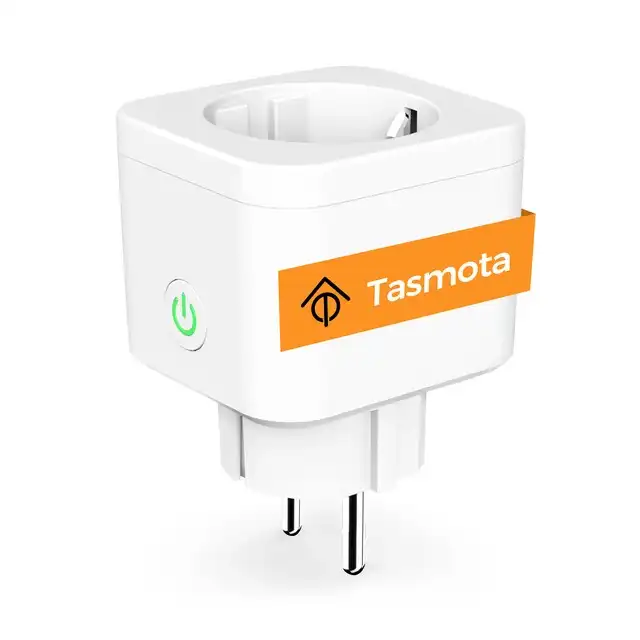
GPIO Pinout
| Pin | Function |
|---|---|
| GPIO00 | None |
| GPIO01 | None |
| GPIO02 | None |
| GPIO03 | CSE7766 Rx |
| GPIO04 | LedLinki |
| GPIO05 | Button 1 |
| GPIO09 | None |
| GPIO10 | None |
| GPIO12 | Led_i 1 |
| GPIO13 | Relay 1 |
| GPIO14 | None |
| GPIO15 | None |
| GPIO16 | None |
| GPIO17 | ADC Temp |
Configuration as relay with overpower and overtemperature protection
This is the original device documentation page when it is flashed with Tasmota: https://templates.blakadder.com/refoss_P11.html For accurate energy consumption measurements this device requires power monitoring calibration.
substitutions: devicename: "refossp11plug1" friendly_name: Refoss P11 Plug 1 device_description: Refoss P11 Power Monitoring Plug with button and RGB led.
esphome: name: ${devicename} comment: ${device_description}
esp8266: board: esp01_1m
# OTA flashingota: - platform: esphome
wifi: # Your Wifi network details # Enable fallback hotspot in case wifi connection fails ap:
# Enabling the logging componentlogger: baud_rate: 0
# Enable Home Assistant APIapi:
# Enable the captive portalcaptive_portal:
# Enable the Web Server component webserver:
# Time used for daily KWh usage time: - platform: homeassistant id: homeassistant_time
status_led: pin: number: GPIO4 inverted: yes
binary_sensor: # Button 1 configuration - id: button_1 platform: gpio pin: number: GPIO05 on_press: then: - switch.toggle: relay_1# Uncomment and test if you would like your device to reset on long press# on_click:# min_length: 5000ms# max_length: 10000ms# then:# - switch.turn_on: reset
switch: # Set relays as switches - id: relay_1 platform: gpio pin: GPIO13 icon: mdi:power-socket-fr name: "${friendly_name} Switch" # Edit below line based on what default behaviour you want after power outage restore_mode: RESTORE_DEFAULT_OFF on_turn_on: - switch.turn_on: sw_led1 on_turn_off: - switch.turn_off: sw_led1 # Register LED on GPIO - id: sw_led1 platform: gpio pin: number: GPIO12 inverted: yes# - platform: restart# name: "${friendly_name} Restart"# id: reset
uart: id: cse7766_uart_bus rx_pin: GPIO03 baud_rate: 4800
sensor: - platform: cse7766 # https://esphome.io/components/sensor/cse7766.html uart_id: cse7766_uart_bus current: name: "${friendly_name} Current" unit_of_measurement: A accuracy_decimals: 3 id: "${devicename}Current" energy: name: "${friendly_name} Energy" id: "${devicename}Energy" unit_of_measurement: Wh power: name: "${friendly_name} Power" id: "${devicename}Power" unit_of_measurement: W filters: - calibrate_linear: - 0.0 -> 1.0 - 51.0 -> 97.0 voltage: name: "${friendly_name} Voltage" unit_of_measurement: V id: "${devicename}Voltage"# Uncomment and calibrate based on your device measurements# filters:# - calibrate_linear:# - 0.0 -> 0.0# - 127.0 -> 242.0
- platform: total_daily_energy name: "${friendly_name} Total Daily Energy" power_id: "${devicename}Power" filters: # Multiplication factor from W to kW is 0.001 - multiply: 0.001 unit_of_measurement: kWh icon: mdi:clock-alert
- platform: adc name: ${friendly_name} Temperature unit_of_measurement: "°C" accuracy_decimals: 1 icon: "mdi:thermometer" id: temp_analog_reading pin: GPIO17# Uncomment and calibrate based on your device measurements# filters:# - calibrate_linear:# - 0.15 -> 18.6# - 0.16 -> 19.8